Discord Emoji Maker
Make an animated glitter emote for your Discord server: pick any emoji and add sparkle, upload your own picture, or use a glitter heart, star or your initials. Download the GIF or a still PNG and upload it to your server.

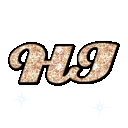
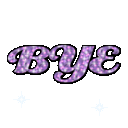
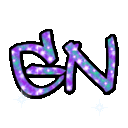
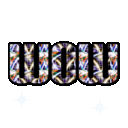
Ready-made glitter emotes
Download the animated GIF or the still PNG, or open one in the maker to change the glitter.



























































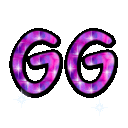








Adding your emoji to Discord
- Download the GIF (animated) or PNG (still).
- In Discord, open your server menu → Server Settings → Emoji.
- Press Upload Emoji, pick the file and give it a name such as
glitter_heart. - Type
:glitter_heart:in any channel of that server.
A server starts with 50 static and 50 animated emoji slots, and boosting the server unlocks more. Animated emojis can be uploaded by anyone who manages the server, but only Nitro members can send them — that is why each emote here also comes as a still PNG.
Three ways to make an emote
- Emoji — pick one of 232 popular emojis. “Original” keeps its colours and adds a moving glitter texture; a coloured glitter tints it.
- Image — upload your avatar, pet, logo or meme. Crop it to a circle or rounded square, or keep a transparent PNG as it is.
- Shape or text — a solid glitter heart, star or crown, or up to four letters such as GG, LOL or your initials.
Getting a clean result at small sizes
Discord shows emojis at 22 pixels inside a message and 48 pixels when an emoji is sent on its own. At that size, bold shapes, faces and one to three letters read best. A black outline keeps the glitter visible on Discord’s dark theme; pick the white outline if your server members use the light theme.
FAQ
What size should a Discord emoji be?
Discord accepts emoji files up to 256 KB and shows them at 48 pixels at most, so 128×128 is the size to upload. Every emote made here is 128×128 and usually 20–60 KB, well under the limit.
How do I add an emoji to my Discord server?
Open Server Settings → Emoji → Upload Emoji and choose the file. You need the “Manage Expressions” permission. Give it a short name with letters, numbers or underscores, then type :name: in chat.
Can I make a Discord emoji from my own picture?
Yes. Choose “Image”, upload a JPG, PNG or GIF and pick a circle, rounded square or the original outline. The picture is resized to 128×128 and gets animated glitter, an outline and twinkling stars. A PNG with a transparent background gives the cleanest result.
Do animated emojis need Nitro?
Anyone who manages a server can upload an animated GIF emoji, but only members with Nitro can send animated emojis. If most of your server has no Nitro, upload the PNG version — it is the same emote without the twinkle.
Can I use these in Slack or Twitch?
Yes. Slack accepts square GIF or PNG images up to 128 KB — these fit. Twitch emotes need PNG files at 112, 56 and 28 pixels, and animated emotes as GIF; resize the PNG if your editor asks for exact sizes.
Where do the emoji designs come from?
The emoji artwork is Noto Emoji by Google, released under an open-source license, so the glitter versions are free to use on your server. The glitter, outline and sparkles are added by GigaGlitters.
Emoji artwork: Noto Emoji © Google LLC, open-source (Apache 2.0 / SIL OFL 1.1, license).